How it works
A small daily ritual.A little more perspective.
Begin with a quiet direction. End with a few words. Let understanding build as you return.
App screens below use example entries.
01 · In the morning
Begin with a quiet direction.
Morning Compass brings your weekly intentions back into view. Take a grounding breath if it helps, and remember what you wanted to make room for in work and personal life.
A brief orientation before the day gets busy. Your intentions can stay gentle.
02 · In the evening
Capture what stayed with you.
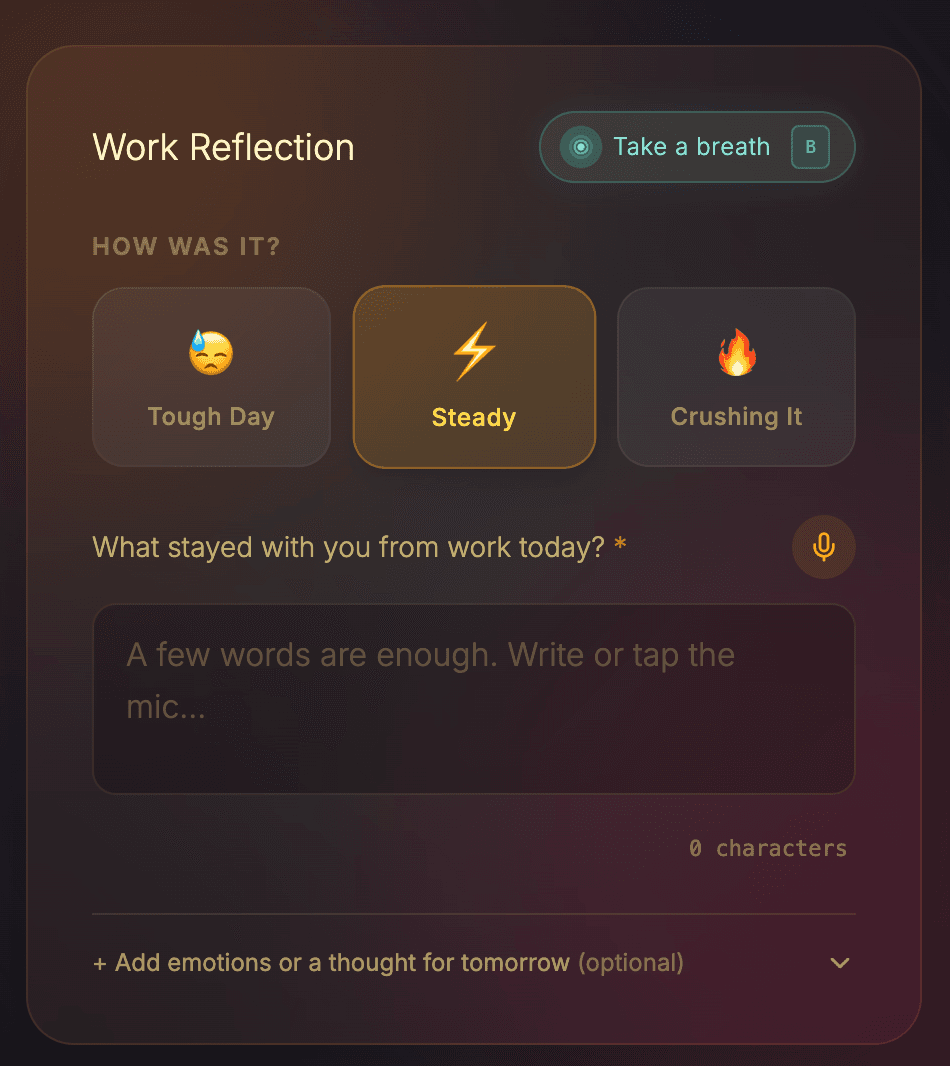
Choose how work and personal life felt, then speak or write a few words about each. You decide where each reflection belongs.
Compact keeps emotions and a thought for tomorrow tucked away until you want them. Prefer every field in view? Choose Standard in Settings.
03 · At the end of the week
Find the useful thread.
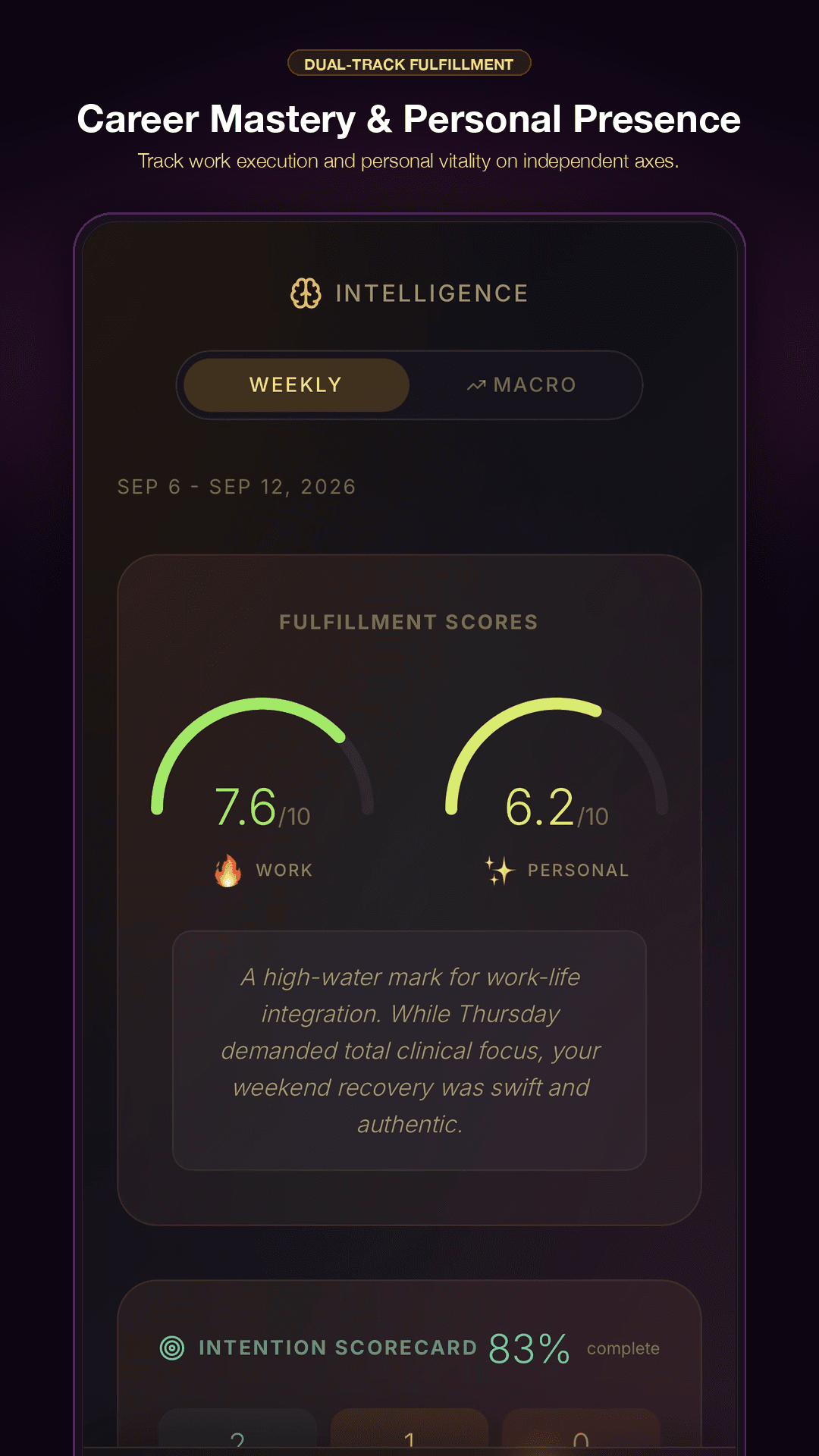
Weekly Intelligence brings together themes from what you shared. Work and personal life have their own perspective, so progress in one does not hide what matters in the other.
With enough reflections, the report helps you notice recurring patterns, moments of fulfilment and worries that played out differently. On Sunday, choose gentle intentions for the week ahead.
04 · Whenever you want to look back
See your days in context.
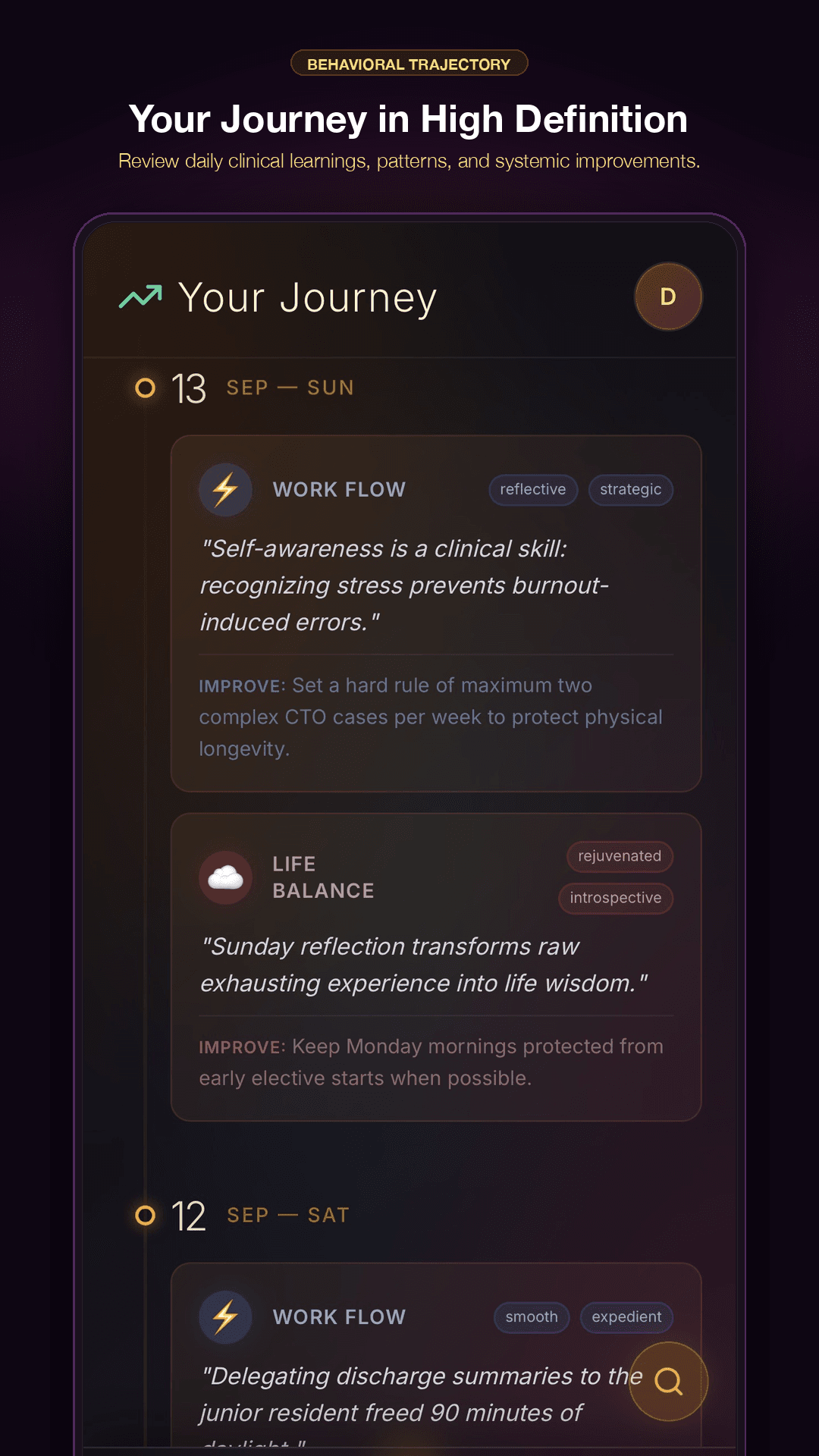
Your Timeline keeps work and personal reflections together in the story of your day. Revisit an entry, search your journey, or step back to the yearly grids for a wider view.
When a lesson feels worth keeping beyond that day, give it a home in the Vault. Let your own experience become something you can return to.
A grounding pause
A guided 40-second breath when you want a moment to settle.
A home for lasting lessons
The Vault holds the principles and hard-won wisdom you want to keep.
Privacy built in
Written reflections encrypted at rest, with a PIN lock for your app.
A few things you might wonder.
Do I need to write a lot?
A few words are enough. Speak into the mic or type what stayed with you. Compact keeps extra details optional; Standard puts all the reflection fields in view. Both keep work and personal reflections separate.
What if I miss a day?
Return whenever you are ready. You can catch up on yesterday if you want. A fuller set of reflections gives Weekly Intelligence more context to draw from.
When will I see Weekly Intelligence?
Weekly Intelligence looks back at the completed week. It needs at least three days of reflections to draw from. More context helps it build a more useful picture of your week.
Can I use LyFeOS on my phone?
Yes. The Android app is available on Google Play. You can also use LyFeOS in your browser on your phone or computer, with the same account.
How are my written reflections protected?
Your written reflections are encrypted at rest, and a PIN lock adds privacy when you step away. The Privacy Policy explains how your information is handled.
Start with a few words.
A little space for your day, on your phone or in your browser.